


%201.jpg)

Get Set for Summer: Watch the Workshops!
What a kick off to the summer season! With Memorial Day weekend fast approaching, Peek Pro wanted to make sure you were fully equipped to enter your peak season with all the tools necessary to make this your biggest year yet!That's why we brought together five industry experts for an online event to arm you with some useful tips from three awesome workshops.Check out the information below to find links to recordings and anything else you may have missed!
Session 1: How to Effectively Use Facebook Ads (on Any Budget)
Chris Torres - Director, Tourism Marketing Agency
Our good friend Chris Torres gave a super tactical workshop showing you how to create an implement an effective Facebook ads strategy, including tips on what kind of ads to use, how to target effectively, how much to spend and what content really helps engage potential customers. This is stuff you can apply TODAY to start seeing results - not one to miss!Click here to watch the recording!
Session 2: Get More Customers, Scale Operations and Drive Profits in your Tour or Activity
Josh Oakes - Founder, The Sunshine Tribe & Kelsey Tonner - Founder, Be a Better Guide Project
Industry titans Josh Oakes and Kelsey Tonner are not short on experience. Having previously ran tours and worked as a guide respectively, their insights are super helpful to any tour operator not sure where to take their business next. In this session, they take us through a wealth of tips on how to effectively scale your operations, expand your reach and get back to doing the things you do best.Click here to watch the recording!
Session 3: What Gets People to Buy?
Drew Renner - Former Operator and Tourism Business Coach & Samantha Hardcastle - Founder, Amore Social
This pair are a force to be reckoned with. Drew is a former tour operator and has used his vast experience to help other operators to get where they need to be with their business. Samantha is a social media marketing champion and encourages operators to share their story as a way to engage and attract customers. In this session, they go through some of the ways to stand out from the crowd and attract the customers that YOU want.Click here to watch the recording!
Baby Boomer Travel Trends and Destinations in 2025
The Baby Boomer generation is quietly leading the charge in the travel industry, and they’re not messing around. They’ve got the time, the money, and the bucket lists to prove it. In fact, this generation is retirement-ready, financially secure, and experience-driven.
Unlike younger travelers who often chase budget deals and spontaneous adventures, Baby Boomers prefer comfort, investing in meaningful, well-curated experiences. So if boomers want to relax on a beach in Spain, cruise through Alaska, or explore museums in Italy, they can and they will do it their way.
If you’re a travel planner, tour operator, or agency owner, you’ve got a golden opportunity. Knowing their habits just means that you can create better experiences for this generation, which leads to more bookings.
In this guide, we’ll cover the hottest Baby Boomer travel trends, favorite destinations, and the best tips to keep these seasoned explorers coming back for more.
Let’s get started.
Top Travel Trends Among Baby Boomers
Baby boomers aren't your average tourists. They’re affluent, comfort-prioritizing, and culturally curious. Boomers don’t rush; they savor–and most especially, they don’t do backpacking.
This generation is fueling the demand for slow travel experiences, and that just means more opportunities for you to offer longer, meaningful trips with higher price points and better margins.
Their preferences are also influencing the future of tourism, pushing the industry toward more personalized, experience-driven, and comfort-first travel.
Preference for Experiential and Cultural Travel
Forget the “been there, snapped that” crowd. This generation values cultural and historical tourism. They want to connect with the ‘why’ behind a place, and they crave experiences that stick with them.
For you, that means offering immersive tours with local guides, hands-on workshops, and chances to truly explore the culture. Some examples include offering ancestral site tours or cooking classes in Tuscany.
Growth in Multigenerational Travel
Boomers love their grandkids. So much so, they’re booking trips just to bond with them. They are embracing multi-generational travel with family, so that’s a big opportunity for you. Think large vacation rentals, flexible itineraries, and activities for all ages.
To cater to this crowd, create family-centered packages that:
- Balance adventure and relaxation
- Blend indoors and outdoors
- Offer a mix of city and beach
This helps you create trips that surely bring families together.
Demand for Luxury and Comfort
While younger travelers might hunt for cheap flights and hostels, Baby Boomers prefer luxury travel experiences. They often prioritize comfort over budget travel–four-star hotels, spacious flights, and private tours. They want to relax, not rough it.
This group will spend more to feel secure, sleep better, and avoid hassle. They’re willing to invest in first-class options, so give them the option to upgrade.
Increased Interest in Adventure and Wellness Trips
Boomers may be seniors, but they’re not slowing down. Many are wellness-focused and crave soft adventure, such as:
- Hiking in national parks
- Biking tours
- Yoga retreats
- Spa getaways
This generation is contributing to the rise of medical and wellness tourism, which opens new doors for you to offer packages that blend relaxation, health, and light adventure.
Popular Destinations for Baby Boomer Travelers
Boomers seek destinations that blend comfort, cultural enrichment, and convenience. But the question is, “Where are Baby Boomers heading in 2025?”
Here are the top trending spots for Baby Boomer travel.
Europe
Classic. Iconic. Irresistible.
Europe checks all the boxes for Baby Boomers, from the museums in Paris to the beaches of Spain. It’s culturally rich, easy to navigate, and has a lot of historical destinations.
Plus, boomers prefer destinations with strong healthcare infrastructure, and Europe offers that. This gives peace of mind for travelers with health concerns.
Countries that top many Boomers' bucket lists include:
- Italy
- France
- Portugal
- Greece
North America
Boomers in the United States love exploring their own backyard.
Alaska cruises? Check.
Florida beach vacations? Double check.
Road trips in state parks? All day long.
They’re also leading the market for RV travel and road trips because it’s safer, more familiar, and has a lot to offer. Bonus: it’s easy to plan and less demanding physically.
Asia-Pacific
This region is catching major attention from long-haul travelers because it offers culture, adventure, and top-notch hospitality. Many Asian countries also cater to senior travelers with customized tours, upgraded accommodations, and wellness retreats.
Top countries for Baby Boomer travelers include:
- Japan
- Thailand
- Australia
Cruises
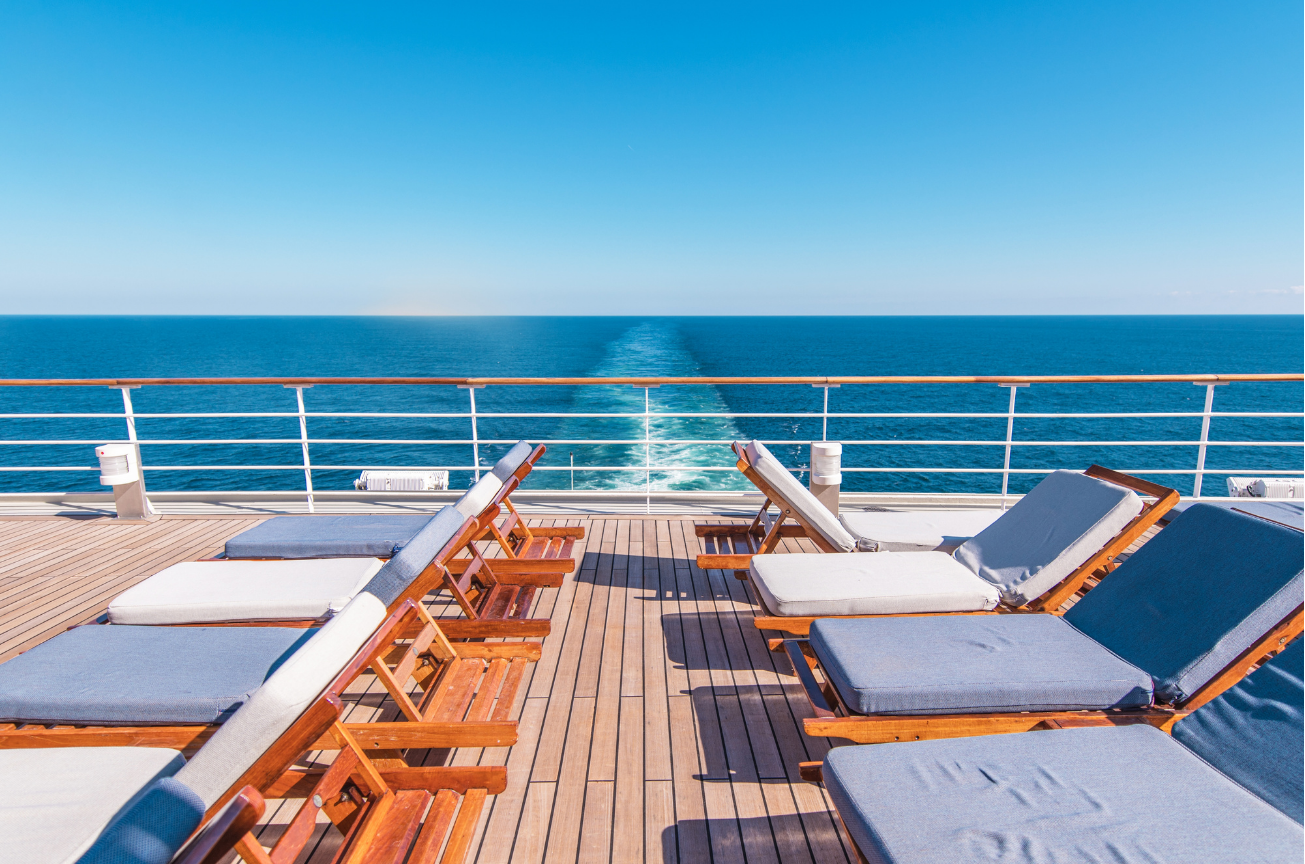
Baby Boomers are cruise-enthusiastic and are driving the growth of the cruise industry, especially in luxury lines that offer fine dining, excursions, and enrichment programs. These cruises are just easier to book and are a great way to explore multiple countries without repacking a suitcase.
Key Considerations for Travel Agencies Targeting Baby Boomers
Now, to win with the Baby Boomer crowd, you need to think about age, interests, and convenience. Here’s what matters most.
- Health and Mobility Needs. Plan with care. Some boomers have mobility issues or medical conditions. Make sure transportation, hotels, and tours accommodate walkers, wheelchairs, or just extra time.
- Travel Insurance and Safety. Boomers value safety, security, and travel insurance coverage. Make sure your trips include coverage details, cancellation policies, and 24/7 support. If your travelers feel protected, they’re more likely to book.
- Personalized and Relaxed Itineraries. Boomer travelers sometimes seek personalized and tailor-made travel experiences. Offer customized packages that focus on comfort, flexibility, and downtime. The more tailored the tour, the better. Tools like PeekPro make it easy for Boomers to book online without confusion. Fewer clicks, less hassle.
- Group Tours vs. Independent Travel. This generation is more likely to book guided tours and all-inclusive packages, especially when visiting new countries. They appreciate having an expert nearby.
Travel Planning Tips for Baby Boomers
Planning a trip should feel exciting, not overwhelming. For Baby Boomers, a little strategy goes a long way. Here are a few smart moves to make travel easier, safer, and more rewarding for this comfort-loving, experience-driven crowd:
- Booking Early for Better Availability. Early booking guarantees better availability for flights, hotels, and tours. It also locks in better rates and preferred options like ground-floor rooms or non-stop flights.
- Choosing Senior-Friendly Accommodations and Transport. Look for hotels with elevators, walk-in showers, and good lighting. Make sure transportation is comfortable, easy to board, and on time.
- Leveraging Loyalty Programs and Travel Perks. This generation loves to benefit from senior discounts and loyalty programs. Highlight perks like room upgrades or early boarding because they love feeling like VIPs.
- Consulting Specialists for Tailored Packages. Boomers will likely book with you if you understand their needs and can offer customized, relaxed itineraries. Tailored packages make them feel seen and valued. Check out this guide to travel tour groups to help you plan the right fit.
Key Takeaways
- Baby Boomer travel is big business—they're affluent, experience-driven, and loyal.
- This generation prioritizes comfort, culture, and safety in every trip more than anything else.
- Tour operators who customize, accommodate, and guide can win this crowd.
Frequently Asked Questions
Are There Travel Companies that Specialize in Trips for Baby Boomers?
Yes, several travel companies specialize in trips for Baby Boomers, like Road Scholar, Overseas Adventure Travel, and Grand European Travel. These companies focus on comfort, culture, and slower-paced, guided experiences tailored to senior interests.
What Types of Wellness Activities are Popular Among Baby Boomer Travelers?
Baby Boomers love wellness activities like spa treatments and yoga because they boost balance, ease chronic issues, and support healthy aging. Studies show these experiences also improve social connection and self-esteem, making them ideal for “aging well.”
What Accessibility Considerations are Important for Baby Boomer Travelers?
Some accessibility considerations include hotels with elevators, tours without lots of stairs, and transportation that’s easy to get in and out of. Also, make sure your trip includes breaks, seating, and access to restrooms. These small touches make a huge difference.

From SEO to Influencers: 5 Essential Marketing Moves for 2025
As an operator, you know the value of every booking. Direct bookings aren’t just about saving on third-party fees—they’re about building trust, strengthening guest relationships, and gaining full control over your customer experience.
Travelers are more likely to book directly when they trust your brand and find your website easy to navigate. But in a competitive landscape, how do you stand out, engage your audience, and convert visitors into loyal customers?
That’s where this guide comes in.
Packed with actionable insights, real-world examples, and innovative AI-powered tools, it’s a strategic roadmap to help you boost direct bookings and make the most of your marketing efforts.
Let’s dive into five tangible goals you can start to tackle today to kickstart your year—and make 2025 your most successful year yet!
Contents:
1. Tap Into Influencer Marketing
2. Optimize Your Website SEO
3. Leverage Email Marketing
4. Refresh Your Booking Widget Images
5. Publish High-Value Blog Posts
To help you actually make use of all of this content we’ve drafted 5 tactical goals to complete in Q1 (the first three months of the year). Together these goals are ambitious but designed to drive real results in terms of website traffic and booking widget views and conversions.
Marketing Checklist for 2025
Goal 1: Influencers Send an introductory message to 10 local influencers to amplify your brand’s reach and credibility
Goal 2: SEO Update meta titles and descriptions for at least 10 key pages with relevant keywords and clear CTAs
Goal 3: Email Send 3 engaging email campaigns before March to nurture leads and drive bookings
Goal 4: Images Audit all of your widget images and update at least 5 of them
Goal 5: Blogs Publish 3 blog posts before March to boost website traffic and build customer trust

Tap Into Influencer Marketing
Social is fast becoming a leading channel for travel search. According to Arival, over 50% of Gen Zs and Millennials now use platforms like TikTok or Instagram Reels to discover travel experiences, and 89% of millennials are using social media for vacation inspo. Followers on these platforms can take a lot of time and resources to grow organically, so influencers are a great way to tap into large audiences for a lower cost.
Tactical Q1 Goal: Send an introductory message to 10 local influencers to amplify your brand’s reach and credibility
How to get started:
1. Identify the Right Influencers
- Use Peek’s Influencer Tool to search for micro (10K–100K followers) and nano (<10K followers) influencers in your niche and location.
- Match influencer types with your target audience: momfluencers for family experiences or adventure vloggers for outdoor tours.
2. Craft a Strong Offer
- Many influencers accept free experiences for posts. Start with a comped tour and request deliverables like:
1–2 Instagram posts or Reels.
3–5 Stories with swipe-up links to your booking page.
Highlight your unique features to pique their interest.
3. Reach Out Effectively
- Peek’s Influencer Tool can draft personalized DMs for you, ensuring the outreach feels authentic and relevant.
- Clearly outline what you’re offering and what you’re looking for in return.
Tips for Success:
- Look beyond individuals—partner with local tourism boards or city guide accounts.
- Track results to measure ROI, focusing on engagement and bookings generated from influencer posts.
.png)
How Peek’s Influencer tool helps amplify your brand
Influencers have loyal and engaged followers and are able to show a higher level of trust and authenticity vs brands when it comes to promoting products and experiences.
Part of Peek Copilot’s Magic Marketer, the Influencer tool uses AI to search social databases to:
- Source up to 50 influencers at a time by category and location, saving you hours of manual research
- Provide direct links to influencer’s Instagram and Twitter profiles for easy connection
- Draft personalized outreach messages tailored to your business

Optimize Your Website SEO
SEO ensures your business is discoverable when customers search online. A well-optimized website can drive long-term, sustainable traffic and boost direct bookings. 53% of all website traffic comes from organic search (source), and SEO leads have a 14.6% close rate, significantly outperforming outbound leads (source).
Tactical Q1 Goal: Update meta titles and descriptions for at least 10 key pages with relevant keywords and clear CTAs
What are Meta Titles and Descriptions?
Meta Titles and Meta Descriptions are snippets of HTML code that provide search engines and users with a summary of your webpage's content. They play a critical role in Search Engine Optimization (SEO) and influencing click-through rates from search engine results pages (SERPs).
- Meta Titles: The clickable headline that appears on SERPs. It's typically the first impression a customer has of your business. A well-crafted meta title should include your target keywords, be concise (50-60 characters), and clearly communicate what the page is about.
Example: "Book the Best Wine Tours in Napa Valley | Your Ultimate Guide"
- Meta Descriptions: A brief summary (under 155-160 characters) displayed below the meta title on SERPs. While not a direct ranking factor, a compelling meta description can entice users to click on your link.
Example: "Discover top-rated wine tours in Napa Valley. Book directly for the best deals and unforgettable experiences."
How Do I Update Meta Titles and Descriptions?
Updating meta titles and descriptions depends on the platform your website is built on. Here's a general guide:
1. Identify Key Pages to Optimize
- Prioritize pages like your homepage, product or service pages, and top-performing blog posts.
- Use tools like Google Analytics, Google Search Console, or SEO tools (e.g., Ahrefs, SEMrush) to identify pages with high impressions but low click-through rates (CTR).
2. Research Keywords
- Conduct keyword research to find terms your audience is searching for. Use tools like Google Keyword Planner or Ubersuggest to identify relevant keywords.
- Focus on high-value keywords that align with your page's content and user intent.
- Use Peek’s Magic Marketer SEO Tool to generate keyword-rich title tags, meta descriptions, and image alt tags
3. Update Meta Titles and Descriptions
- Log in to your website's content management system (CMS). Common platforms include:some text
- WordPress: Use SEO plugins like Yoast SEO or Rank Math to edit meta titles and descriptions easily.
- Shopify: Go to your product or page settings and edit the "Search engine listing preview."
- Wix/Squarespace: Navigate to the SEO settings for each page to make updates.
- Ensure the meta title includes primary keywords and communicates value, while the meta description provides a clear, engaging summary with a strong call-to-action (CTA).
4. Test and Monitor Performance
- After updating, monitor your pages in Google Search Console for changes in impressions, CTR, and rankings.
- Experiment with different CTAs or phrasing to see what resonates most with your audience.
Tips for Success:
- Optimize your Google My Business account - update photos, ensure all the info is correct, respond to questions and reviews. This helps Google know that you are a real business.
.png)
How Peek’s SEO tool helps you appear higher in search rankings
- Generating optimized tags and headlines tailored to your content.
- Suggesting trending blog topics to attract your target audience.
How do I use Peek’s SEO tool?
1. Identify the content you want to optimize
- This could be your homepage, an older blog post or a landing page on your website
2. Log into Peek Pro and paste a prompt into the SEO tool
- Think like your customer. What would they search for to find your tour?
Sample prompts:
- “Generate SEO content for my whale-watching tour company in Seattle.” (Paste your webpage content into the prompt.)
- “Create SEO tags for my blog page highlighting the top hiking trails in Phoenix.” (Paste your blog content into the prompt.)
- “Generate SEO tags for my website’s homepage. My company is a kayak rental business in Vancouver, Canada.” (Paste your homepage content into the prompt.)
3. Hit “Generate”, then add the optimized copy to your website.
- Be sure to make note of website traffic before and after so you can track the progress you make.
.jpeg)
Leverage Email Marketing
Email marketing is a cost-effective way to stay connected with customers and inspire repeat bookings. With a personalized approach, you can turn one-time visitors into loyal customers. Email marketing is known to have a strong ROI, Litmus found that on average email marketing delivers an ROI of $36 for every $1 spent.
Tactical Q1 Goal: Send 3 engaging email campaigns before March to nurture leads and drive bookings.
Email Campaign Examples:
“5 Secret Spots to Discover in Charleston”
- Share tips for exploring your destination, such as off-the-beaten-path spots or restaurants near your tours.
- Include a soft call-to-action to book an experience with you.
“Got plans for Valentine's Day?”
- Highlight tours or packages tailored to upcoming holidays or events, like couples' excursions or family-friendly activities.
- Offer Champagne as an Add-On near Valentine’s Day.
“We Miss You! Here’s 5% Off Your Next Adventure”
- Reach out to past customers with an exclusive offer to encourage repeat bookings or upsell additional experiences.
“BTS - How We Create Magical Adventures Just for You”
- Share behind-the-scenes stories or videos of your guides prepping tours, scenic locations, or fun moments. Build excitement and connection with your brand.
How to get started:
- Segment Your Audience:
- Use Peek Pro’s reports to group customers by behavior, such as first-time visitors or repeat bookers.
- Tailor messages to each segment, like offering exclusive discounts for returning customers.
- Craft Compelling Content:
- Use subject lines that grab attention (“Start Your Year with Adventure!”).
- Include visually appealing images and a clear call to action (“Book Your Winter Getaway Now!”).
- Automate Your Campaigns:
- Schedule emails to go out at optimal times, such as mid-morning on weekdays.
Tips for Success:
- If you collect date of birth data, set-up a birthday campaign. Email guests a week before their Birthday with a 5% discount or special offer to redeem during their Birthday month.
- Test subject lines and CTAs to identify what resonates with your audience.
How Does Peek’s Magic Marketer Email Tool Help Draft Emails that Drive Bookings
Drafts curated content, tailored to your business that is designed meaningfully to connect with customers and entice them back to your business.
How do I use Peek’s email tool?
- Navigate to Magic Marketer email tool in Peek Pro
- Set-up your Email in the prompt:some text
- Specify the Purpose: Whether it's showcasing your experiences, announcing a promotion, or highlighting marketing efforts like gift cards and referral programs.
- Include a Call to Action (CTA): Clearly define what action you want recipients to take (e.g., "Book Now", "Learn More").
- Review and finalize the content, and add visuals
Example Prompts:
- Seasonal Discount for ZipCrazy Zipline Tours
- “Write an email promoting a seasonal discount for ZipCrazy Zipline Tours in Sacramento, California. Be sure to include the 20% off discount code: CALIZIPPING20, applicable on Tuesdays and Thursdays.”
- Holiday Light Show at Washington Winter Wonderland
- “Draft an email showcasing the holiday light show at Washington Winter Wonderland. Include the availability dates of November 29 - December 27. Add my link to book a ticket [here] and include the top frequently asked questions [here].”
- New Pontoon Boat Rental Announcement
- “Create an email announcing the arrival of our new pontoon boat available for rental. Include the rental name: 25' Pontoon Rental. Highlight that the boat is available for rental durations of 1, 2, and 4 hours starting on May 24th.”

Refresh Your Booking Widget Images
High-quality visuals can make or break a customer’s decision to book. Your booking widget images should showcase the best of your experiences. Consider this:
- Listings with higher-quality images receive 25% more views (Airbnb) and see a 40% increase in bookings (TripAdvisor).
- Airbnb doubled their monthly revenue by implementing professional photography for listings in New York City (Airbnb).
Tactical Q1 Goal: Audit all of your widget images and update at least 5 of them using the criteria below
How to Select Booking Widget Images that Sell
6 Best Practices
1. Use High-Quality Photos: Ensure images are high resolution (at least 1200x1200 pixels).
2. Include People in Your Photos: Show happy, smiling guests mid-action, enjoying your activity.
3. Highlight Your Unique Selling Points (USPs): Whether its scenic views or a famous landmark, include what sets you apart.
4. Composition: Use the rule of thirds to ensure the customer is drawn to the subject of the image.
5. Tell a Story: Use shots from multiple stages of your experience to help customers visualise themselves at your experience.
6. Leverage User-Generated Content (UGC): Collect authentic guest photos from socials (encourage them to post using a hashtag for your business) and other platforms to build consumer trust.
EXTRA: Pro Smartphone Tips: Use burst mode for action shots, try a tripod for steadiness, and play with portrait mode for close-ups or 0.5 zoom for wide shots .
.png)
Get Started with Peek’s Image Score
Identify your top performing visuals
To help you make the most of your visuals, Peek has created Image Score, a powerful tool that evaluates the quality and relevance of your product images. With Image Score, you can:
- Leverage AI to analyze and rate images from your activities and rentals
- Receive an optimization score for each one to identify your best-performing images
Run the test, and then use the following best practices to enhance your imagery—and your bookings!

Publish High-Value Blog Posts
Blogging is a powerful way to attract and educate customers while improving your website’s SEO.
By sharing relevant content, you position your business as an expert in your niche and encourage search engines to place you higher in search results. Businesses that blog receive 55% more website visitors than those that don’t (Hubspot) and 82% of consumers feel more positive about a company after reading custom content (New York Times).
Tactical Q1 Goal: Publish 3 blog posts before March to boost website traffic and build customer trust.
Blog Examples:
- “The Ultimate Moms Guide to [Destination]”
- Share insider tips for exploring your area with kids, highlighting unique experiences that tie into your tours.
- “The Best Instagram-Worthy Spots on Our [Specific Tour]”
- Showcase the most photogenic locations on your tour with insider tips for capturing the perfect shot.
- “What to Pack for Your [Type of Tour]: A Survival Guide”
- A hyper-focused packing list tailored to your specific tour, such as kayaking, hot air balloon rides, or ghost tours.
- “Rainy Day Adventures: Why [Tour Name] is Perfect in Any Weather”
- Appeal to travelers unsure about booking in unpredictable weather by promoting your tour’s all-weather perks or indoor activities.
How to get started:
- Choose Relevant Topics:
- Write posts like “Top Winter Activities in [City]” or “Why [Your Experience] is Perfect for Families.”
- Incorporate Visuals:
- Use high-quality photos or videos to make your content more engaging.
- Promote Your Blog:
- Share blog posts on social media and include them in email newsletters.
- Reach out to local businesses to feature your blogs on their websites, newsletters and social media.
Tips for Success:
- Link blog content to your booking pages to guide readers toward action.
- Use analytics to monitor performance and refine future posts.
Peek’s Blog Tool Helps Boost Website Traffic and Builds Customer Trust by:
Magic Marketer streamlines blog creation by turning what once took hours into a task completed in seconds. While ensuring the content is optimized for SEO and appealing to potential customers.
Example Prompts for Peek’s Tool:
- “Generate a blog post about the best seasons to go horseback riding in Arizona and what visitors can expect. Include a link for my Desert Horseback Riding Tour.”
- “Write a blog highlighting why Escape Rooms are a great team-building exercise and include examples of groups that could benefit from it (i.e. employees, sports teams, etc.).”
- “Draft a blog post showcasing the best places for a bike ride in Austin. At the beginning of the blog, introduce my business, Cowboy Bike Rentals, and our different rental offerings (single bikes, tandem bikes, e-bikes).”
Kickstart your 2025 with these actionable marketing strategies and Peek’s innovative AI tools for tour, activity and attraction operators. By collaborating with influencers, enhancing your SEO, leveraging email marketing, improving your visuals, and publishing compelling blog posts, you’ll set the stage for a successful year.
Ready to get started? Let Peek Copilot guide you every step of the way.

Must-Have Add-Ons for Tour and Activity Providers for More Sales
If you're looking to boost sales and enrich customer experiences, embracing the right add-ons for your tours and activities is essential.
This article offers a detailed guide on various optional services and products that can significantly enhance the customer experience and expand your revenue streams.
By incorporating add-ons like gear rentals, photography packages, and special dining experiences, you can meet diverse customer preferences and make their experiences more personalized and memorable.
Additionally, options like mobile apps and multilingual guides improve convenience and accessibility, broadening your market appeal. This guide will help you understand each popular add-on, showcasing how it can benefit your business and your customers alike.
What are Add-Ons?
Add-ons are optional products or services that tour and activity providers offer alongside their main offerings. These extras are designed to enhance the overall customer experience and provide additional revenue streams for the providers.
Typically, they complement the main activity or tour, allowing customers to customize their experience according to their interests and needs. Examples include gear rentals, meal upgrades, or special access to related attractions.
Top Add-Ons for Tour and Activity Providers
Enhancing your tour and activity offerings with carefully selected add-ons can dramatically improve the customer experience and boost your revenue.
Here’s a look at some popular add-ons that can add value to your services:
Gear Rentals
Offering gear rentals such as cameras, hiking boots, or snorkeling equipment allows tourists to access high-quality equipment without the hassle of bringing their own.
This service is particularly appealing to casual adventurers who may not own specialized gear or those traveling light. By providing the necessary gear, you enhance the accessibility and enjoyment of your activities.
Safety Workshops
Conducting pre-activity safety workshops can provide vital information and training to participants, especially for high-risk activities like diving or rock climbing. These workshops ensure that guests are well-prepared and aware of safety protocols, thereby enhancing their confidence and safety, which can significantly improve their overall experience.
As you ensure guest safety through pre-activity workshops, another key aspect to consider is the legal protection of your operations. Simplify this with the use of online waivers, an efficient way to manage consents and reduce paperwork, enhancing both safety and operational efficiency.
Photography Packages
Providing professional photography packages enables guests to enjoy their activities without worrying about capturing moments. Professional photos offer higher quality memories than typical smartphone pictures and are a valued souvenir, especially for once-in-a-lifetime experiences or special occasions.
Local Dining Experiences
Incorporating local dining experiences allows guests to delve into the region's culinary culture. This can be an authentic dining experience at a local favorite or a meal prepared by a renowned chef that showcases regional flavors.
Such experiences enrich the travel experience and can be a highlight for food enthusiasts.
Guided Museum Entries
Guided museum tours can greatly enhance the educational value of museum visits, providing deeper insights into exhibitions and artifacts. These tours are led by knowledgeable guides who can offer historical context, highlight key pieces, and answer questions from visitors.
Offering guided tours enriches the visitor experience and adds a layer of engagement that self-guided tours might miss, appealing especially to those who seek a more in-depth understanding of the museum's offerings.
Virtual Reality Previews
Virtual Reality (VR) previews can dramatically enhance customer engagement by offering a tantalizing glimpse of what they can expect from your tours or activities.
By providing VR experiences in your booking office or online, potential customers can virtually explore destinations, encouraging them to commit to the experience. This technology is particularly effective for high-adventure or unique experiences that might be harder to visualize through standard photos or videos.
Mobile Apps
Developing a mobile app for your business can significantly enhance customer convenience by allowing users to book tours, access itineraries, and receive real-time updates directly on their smartphones.
Apps can also provide GPS-guided tour information, tips for nearby attractions, and even emergency services, making them invaluable tools for enhancing the travel experience and customer satisfaction.
Multilingual Audio Guides
Offering multilingual audio guides ensures that non-English speaking tourists can fully enjoy and understand the tours. These guides can be easily accessed through personal devices or provided equipment, offering detailed insights into landmarks, history, and culture in multiple languages.
This inclusivity not only enhances the visitor experience but also broadens the appeal of the tours, attracting a more diverse group of customers.
Custom Itineraries
Custom itineraries allow tourists to tailor their travel experience to their specific interests, whether they're into history, food, adventure, or relaxation.
By offering personalized itinerary planning, you empower guests to maximize their time and enjoyment, which can significantly enhance their overall satisfaction and increase the likelihood of repeat business and referrals.
Private Upgrades
Private upgrades offer guests an exclusive and tailored experience, making them feel special and valued. This option is perfect for those seeking privacy, such as couples on honeymoons or executives on business trips. Offering this service can significantly increase customer satisfaction and can command a higher price point, boosting revenue.
Special Occasion Packages
Special occasion packages are designed to celebrate significant milestones such as birthdays, anniversaries, or engagements. These packages can include special greetings, custom cakes, a private tour, or even a surprise element that enhances the celebration.
Offering these can create unforgettable experiences, encouraging positive reviews and enhancing customer loyalty. Automate this essential feedback collection with automated review request systems, which can streamline the process of gathering and showcasing customer testimonials to enhance your reputation and attract future guests.
Accessibility Kits
Accessibility kits ensure that your tours are inclusive for all guests, including those with disabilities. These kits can include items like wheelchairs, audio aids, and braille materials, or services like sign language interpretation. These kits will expand your market to include guests with special needs and demonstrate a commitment to accessibility and inclusiveness.
Conservation Activities
Incorporating conservation activities into your tours can attract environmentally conscious travelers and provide them with hands-on experiences that contribute to the preservation of natural sites or wildlife. These activities could range from wildlife habitat restoration projects to educational workshops on local environmental challenges.
This enhances the ethical appeal of your tours and educates visitors about important conservation efforts, fostering a sense of responsibility and connection to the environment.
Meal Upgrades
Offering meal upgrades can significantly enhance the culinary aspect of your tours. Whether it's including gourmet options, farm-to-table experiences, or local specialty dining, these upgrades provide a taste of the local cuisine in a more refined way.
Such meal options cater to food enthusiasts and those looking for a deeper cultural immersion, making your tours more appealing to a broader range of customers who value gastronomy as a key part of travel.
Transport Add-Ons
Transport add-ons enhance the convenience and comfort of your tours by providing various transportation options such as private cars, luxury coaches, or even scenic train rides.
These services are particularly appealing to those who prefer not to navigate on their own in a foreign locale or those who appreciate a higher level of comfort and privacy.
Additionally, efficient transport solutions can help manage tour schedules more effectively, ensuring that guests have a smooth and enjoyable experience.
Travel Insurance
Offering travel insurance as an add-on provides travelers with peace of mind, especially during international trips or high-adventure activities. This insurance can cover everything from trip cancellations and medical emergencies to lost luggage, making it an essential option for many travelers.
This safeguards your customers' investment in their travels and enhances your company's reputation as a thoughtful and customer-focused provider.
Importance of Add-Ons for Tour and Activity Providers
Add-ons play a crucial role in the business strategy of tour and activity providers by enhancing customer satisfaction and boosting revenue.
These optional extras allow businesses to offer a more tailored and enriched experience, leading to higher customer engagement and increased spending.
While diversifying your offerings with add-ons significantly enhances customer satisfaction and boosts revenue, understanding overarching marketing strategies is equally crucial. Enhance your knowledge of this by exploring effective marketing strategies for tour and activity operators to fully leverage your business’s potential.
Enhancing the Customer Experience
Add-ons offer a way to customize and enhance the travel experience, allowing customers to personalize their journey to better suit their interests and needs.
By offering choices like special access tickets, behind-the-scenes tours, or unique local experiences, providers can significantly enhance the overall value and enjoyment of the tour, leading to increased customer satisfaction and loyalty.
Increasing Revenue for Providers
Strategically selected add-ons can significantly enhance a company's revenue streams.
By offering premium experiences or conveniences, providers can attract a higher level of spending per customer without the need for extensive marketing or drastic changes to the core offerings.
These extras can be a low-cost way of increasing the average transaction value, improving profitability with each booking.
Key Takeaways
- Add-ons are key to enhancing customer satisfaction and creating memorable experiences.
- They serve as an effective tool to boost revenue, often with minimal additional overhead.
- Regularly updating and refining add-on offerings can keep your experiences fresh and appealing.
- Effectively marketing these add-ons can significantly increase their uptake.
Frequently Asked Questions
Are There Any Hidden Costs Associated with Offering Tour Add-Ons?
While add-ons can increase revenue, they might come with hidden costs such as increased insurance, training, or inventory management. It’s important to evaluate these costs thoroughly before implementation.
Can Add-Ons Help Overcome Seasonal Fluctuations in Tour Bookings?
Yes, add-ons can help balance seasonal fluctuations by attracting customers with unique, seasonal, or weather-independent offerings that complement your main services.
How Often Should You Update Your Tour Add-On Offerings?
Updating your add-on offerings regularly, at least annually or seasonally, can help keep your tours attractive and competitive, addressing changing customer preferences and market trends.

Top Immersive Experience Examples to Inspire You
Immersive experiences have the power to transport us beyond the confines of our immediate environment, plunging us into realms that captivate our senses, challenge our perceptions, and evoke deep emotional responses.
These experiences, whether they are crafted through advanced technology, art, storytelling, or a combination thereof, offer us a unique opportunity to live within stories, explore uncharted territories, and connect with narratives and characters in profoundly intimate ways.
What is an Immersive Experience?
An immersive experience, especially within the realms of technology and user engagement, is defined as a designed interaction that fully engulfs participants in a multi-dimensional narrative or environment, making them feel as if they are part of another reality.
Characteristics that distinguish immersive experiences from traditional ones include:
- Interactivity: Immersive experiences often allow users to interact with the environment in a meaningful way, influencing the narrative or the outcome of events, which is a stark contrast to the passive consumption associated with traditional media
- Sensory Engagement: They engage multiple senses simultaneously, using visual, auditory, tactile, and sometimes even olfactory stimuli to create a more convincing and enveloping experience. Delving into the realm of multisensory experiences can elevate the immersive aspect of any environment, whether it's art, education, or entertainment. By engaging multiple senses, creators can offer an unparalleled depth of immersion, enriching participants' engagement and leaving a lasting impact.
- Personalization: These experiences can adapt in real-time to the actions, choices, and even emotions of the user, offering a personalized journey that traditional experiences cannot match.
- Spatial Presence: Immersive technologies enable users to experience a sense of spatial presence, making them feel physically situated within the environment, a feature absent in conventional experiences.
- Emotional Connection: By offering a deeply engaging and personalized experience, immersive technologies foster a stronger emotional connection to the content, significantly enhancing the impact and memorability of the experience.
- Technological Integration: The use of cutting-edge technology is fundamental in creating immersive experiences, utilizing tools like VR headsets, AR applications, motion capture, and more to create a seamless blend between reality and the digital world.
Why is Immersion Important in Entertainment and Learning?
Immersion is a critical element in both entertainment and learning because it significantly enhances the depth of engagement and the effectiveness of the experience. In entertainment, immersion transforms passive viewing into an interactive and engaging adventure, allowing audiences to become active participants in the narrative. This deep engagement not only makes the experience more enjoyable and memorable but also amplifies the emotional impact of the story.
Top Immersive Experience Examples
By actively participating in the learning process, students can better understand complex concepts, apply knowledge more effectively, and develop critical thinking and problem-solving skills in a more engaging and less abstract context.
Interactive Museums and Educational Spaces
Interactive museums and educational spaces leverage immersive technology to transform the visitor experience from passive observation to active participation. By incorporating elements such as virtual reality (VR), augmented reality (AR), interactive displays, and touch-screen technology, these spaces create engaging, multi-sensory environments that encourage exploration, curiosity, and learning.
Examples of museums or spaces that have successfully implemented immersive technology include:
- The Smithsonian Institution, Washington, D.C.
- The British Museum, London
- The Louvre Museum, Paris
- The Van Gogh Museum, Amsterdam
- The American Museum of Natural History, New York
- The National Museum of Singapore
MR Theme Park Attractions
Mixed Reality (MR) plays a transformative role in the evolution of theme park attractions, merging the physical and digital worlds to create unprecedented experiences that captivate and thrill visitors.
By overlaying digital content onto the physical environment, MR allows theme park guests to interact with a layer of virtual elements as if they were part of the real world, enhancing rides, shows, and interactive experiences with immersive storytelling and interactive gameplay that were previously unimaginable.
For those looking to dive deeper into creating unparalleled guest experiences, exploring innovative escape room theme ideas can provide a treasure trove of inspiration. These thematic concepts not only captivate the imagination but also challenge participants' problem-solving skills, making them a perfect addition to the roster of immersive attractions.
AR Art Installations and Exhibitions
Augmented Reality (AR) is revolutionizing art installations and exhibitions by introducing a dynamic layer of interaction and immersion that extends beyond the physical boundaries of traditional art. Through AR, artists and curators can overlay digital imagery, information, and interactive elements onto the physical space or objects, enabling viewers to engage with art in innovative ways through their smartphones or AR glasses.
Immersive Dining Experiences
Immersive dining experiences elevate the act of eating beyond mere sustenance, blending gastronomy with storytelling, art, and technology to engage diners in a multi-sensory journey.
Types of Immersive Experiences
Today's immersive experiences encompass a broad spectrum of interactive and sensory-engaging formats, each designed to captivate and transport participants into different realities, narratives, or states of awareness.
360-Degree Video and Photography
The concept of 360-degree video and photography involves capturing a spherical scene where every angle around the camera—up, down, and all around—is recorded simultaneously. This immersive form of media allows viewers to explore the entirety of the captured scene as if they were standing in the photographer's or videographer's place, offering a panoramic view that traditional photography and video cannot match.
Virtual Reality (VR)
Virtual Reality (VR) and its significance in immersive experiences are profound, providing a fully enclosed digital environment that immerses users completely, making them feel as if they are physically present within the digital world. Key VR experiences that have made a significant impact include:
- Exploratory Education Platforms: Simulate historical events or distant locations for immersive learning.
- Immersive Gaming: Engage players in fully interactive 3D worlds that evoke intense emotional and physical responses.
- Virtual Tours: Enable people to navigate and experience places they cannot physically visit, such as museums, art galleries, or even outer space.
Augmented Reality (AR)
Augmented Reality (AR) serves as a transformative tool in enhancing real-world environments by superimposing digital information—images, videos, graphics—onto the physical world. Through the lens of AR-enabled devices, users can interact with both real and virtual elements simultaneously, creating an enriched experience that layers additional context, information, or entertainment onto their natural surroundings.
Immersive Theater and Performances
Immersive technology in theater and performances redefines audience engagement by breaking down the traditional barriers between the performers and the audience, creating a shared space where narratives unfold in a more personal and interactive manner.
This approach utilizes a range of technologies including virtual reality (VR), augmented reality (AR), spatial audio, and projection mapping to envelop the audience in the story, allowing them to experience the performance from within rather than as passive observers.
Mixed Reality (MR)
Mixed Reality (MR) is a sophisticated blend of Virtual Reality (VR) and Augmented Reality (AR), creating environments where physical and digital objects co-exist and interact in real-time. In MR experiences, users can manipulate both physical and digital objects, allowing for interactions that feel both grounded in the real world and expansively imaginative.
Designing Immersive Experiences
Designing immersive experiences involves a complex interplay of technology, storytelling, user psychology, and environmental design, each component meticulously crafted to create a seamless and engaging reality for the participant.
User Engagement and Interaction
Maximizing user engagement and interaction in immersive environments requires a strategic blend of narrative depth, intuitive design, and meaningful interaction that together create a captivating experience.
Spatial Design and Environment
Spatial design plays a critical role in creating immersive experiences by shaping the physical and virtual environments in which these experiences unfold. This aspect of design is fundamental in establishing the context and setting for the narrative, guiding user interactions and ensuring the seamless integration of technology within the space.
Sound and Music
Sound and music are pivotal in enriching immersive experiences, serving as crucial elements that engage the auditory senses to deepen the sense of presence and emotional connection. Beyond merely accompanying visuals, sound and music can alter perceptions, evoke emotions, and enhance the narrative depth of an experience.
Storytelling and Narrative
Storytelling and narrative are fundamental in crafting immersive experiences, serving as the backbone that guides the design and interaction within these environments. By weaving narrative elements into immersive experiences, creators can transport users into a story that unfolds around them, making them active participants rather than passive observers.
Key Takeaways
- Multidimensional Engagement: Immersive experiences utilize advanced technology, art, and storytelling to engage participants on multiple levels, allowing them to live within stories, explore uncharted territories, and connect with narratives in intimate ways, effectively blurring the lines between reality and imagination.
- Characteristics That Set Immersive Experiences Apart: These experiences are distinguished by their interactivity, sensory engagement, personalization, spatial presence, emotional connection, technological integration, and narrative absorption, setting them apart from traditional media and entertainment forms.
- Enhanced Learning and Entertainment: Immersion is crucial in both entertainment and learning contexts, transforming passive consumption into interactive adventures and making complex concepts more understandable and memorable, thereby increasing the depth of engagement and effectiveness of the content.
Frequently Asked Questions
What was the First Immersive Experience?
The first immersive experience that both you and your ancestors had was probably very similar. It was likely part of playing as a child. Many forms of play involve pretending, immersing oneself in imaginative worlds that blur the lines between reality and fiction, demonstrating the innate human capacity for immersion.
How Immersive is Virtual Reality?
Immersive virtual reality is a technology that aims to completely immerse the user inside the computer-generated world, giving the impression to the user that they have "stepped inside" the synthetic world.
What is an Immersive Room?
An immersive room is an interactive virtual reality space where each of the surfaces – the walls, floor, and ceiling – act as projection screens to create a highly immersive experience. This setup enables participants to feel as though they are entirely surrounded by a digital environment, enhancing the sense of presence and immersing them deeper into the experience.

How to Start a Bike Rental Business in 2024
Starting a bike rental business can be an exciting venture, offering the opportunity to combine your passion for cycling with a profitable endeavor. However, like any business, it requires careful planning and execution.
In this comprehensive guide, we'll walk you through the essential steps to launch your bike rental business successfully in 2024.
1: Conduct Market Research
Research is the cornerstone of any successful business. Before you invest time and money, it's crucial to understand the market and your potential customers. Here's what you should do:
- Know Your Area: Analyze the area where you plan to operate your bike rental business. Consider factors such as local demand, competition, and tourist traffic. Identify the best locations for bike rental services.
- Identify Your Target Market: Determine your target market, such as tourists, locals, or both. Understand their needs, preferences, and cycling habits. This information will help you tailor your services accordingly.
- Analyze the Competition: Study existing bike rental businesses in your area. Identify their strengths and weaknesses. Look for opportunities to differentiate your services.
2: Create a Business Plan
A business plan is your roadmap to success. It's where you outline your vision, strategies, and financial projections. Here's what your plan should include:
- Costs and Income: Estimate your startup costs and projected income. Consider expenses like bike purchase, licenses, insurance, and marketing.
- Bike Selection: Define the types of bikes you'll offer. Consider the demand for mountain bikes and e-bikes, and decide on your fleet size.
- Pricing Strategy: Set competitive pricing that covers expenses and generates a profit. Research what other bike rental businesses charge in your area.
3: Pick a Business Name
Choosing the right business name is essential for branding and recognition. Ensure it's memorable, easy to spell, and reflects your bike rental services.
We collected specific examples of how you can come up with business names for a bike rental business:
- Location-Based Names: Incorporate the city, region, or iconic landmarks where your business operates. For example, "San Francisco Bike Rentals" or "Rocky Mountain Cycle Tours."
- Descriptive Names: Clearly convey your services in the name, such as "Coastal Bike Adventures" or "City Cycle Rentals."
- Creative Wordplay: Use puns, alliteration, or catchy phrases related to biking, like "Pedal Paradise" or "Rolling Wheels Rentals."
- Memorable Acronyms: Create a unique acronym using the first letters of key words, like "BRAVE" (Bike Rentals and Adventure Vacation Experiences).
- Customer Experience: Highlight the experience customers can expect, such as "Smooth Ride Rentals" or "Scenic Biking Expeditions."
- Unique Branding: Invent a distinctive name that sets your business apart, like "EcoSpin Cycles" or "ZenPedalers."
Check if the name is available for domain registration and on social media platforms.
4: Choose a Rental Location or Service Area
Selecting the right location is critical. Your choice depends on your target market and local demand. Consider proximity to tourist attractions, parks, or scenic routes. If you operate in a city, think about bike stations at popular transit hubs.
5: Raise Funds
Starting a bike rental business requires financing. You'll need capital for bike purchases, permits, and operational costs. Explore different funding options, including personal savings, loans, or investment from friends and family.
- Personal Savings: Use your own savings or assets to finance the business.
- Bank Loans: Apply for a business loan from a bank or financial institution.
- Investors: Seek investment from individuals or venture capitalists interested in your business.
- Crowdfunding: Launch a crowdfunding campaign on platforms like Kickstarter or Indiegogo.
- Government Grants: Explore grants and subsidies available for small businesses.
- Business Partnerships: Form partnerships with local businesses or tourism agencies.
- Equipment Financing: Finance your bike fleet through equipment financing.
- Online Lenders: Consider online lenders or peer-to-peer lending platforms for quick loans.
- Family and Friends: Borrow from friends or family members willing to invest.
- Revenue: Use revenue generated from the business to fund expansion.
6: Choose a Business Structure
Decide on the business structure that suits your needs. Common options include a sole proprietorship, LLC, or corporation. Each has its advantages and tax implications, so consult with a professional to make the right choice.
LLC vs Corporation for Bike Rental Businesses
A Limited Liability Company (LLC) offers personal asset protection for members, simplifies tax obligations through pass-through taxation, and generally involves fewer formalities, making it an attractive choice for small bike rental businesses with single or multiple members.
Conversely, a corporation establishes a separate legal entity, shielding shareholders from personal liability and allowing capital raising through stock issuance, but it entails double taxation and demands more rigorous compliance with formalities, typically suiting larger bike rental businesses with multiple owners or those seeking external investments.
7: Necessary Licenses and Permits for a Bike Rental Business
Compliance with licenses and permits is crucial. Ensure you obtain all the necessary documentation to operate legally in your area. This step varies by location, so check with local authorities.
8: Get an EIN
An Employer Identification Number (EIN) is essential for tax purposes, especially if you plan to hire employees in the future. You can apply for an EIN through the IRS website.
9: Open a Business Bank Account
Separate your business finances from personal finances by opening a dedicated business bank account. This simplifies bookkeeping and ensures you keep track of business expenses.
10: Advertise Your New Company
Effective marketing and advertising are essential to attract customers. Develop a marketing strategy that includes online and offline channels. Consider a professional website, social media presence, and local partnerships.
What Should You Know Before Starting a Bike Rental Business?
Before diving into the world of bike rentals, it's essential to have a clear understanding of the financial commitments involved. This includes evaluating startup costs, which can vary significantly depending on factors such as your chosen location, the size of your bike fleet, and the types of equipment you plan to offer.
How much does it cost to open the company?
Startup costs for a bike rental business can vary widely based on location, fleet size, and equipment choices. On average, you might need anywhere from $10,000 to $50,000 or more to cover initial expenses.
Types of Bikes to Offer/Fleet of Bikes
When selecting bikes for your fleet, consider offering both mountain bikes and e-bikes to cater to a broader customer base. Assess the demand in your area and customize your inventory accordingly.
Mountain Bikes
Renting out mountain bikes is a fantastic idea for bike rental businesses, especially if you're located near trails, parks, or outdoor adventure destinations. Mountain bikes are popular among outdoor enthusiasts, tourists, and locals looking for an adrenaline-pumping ride through rough terrain.
Prices for mountain bike rentals can vary based on location and bike quality, but on average, you can charge anywhere from $30 to $100 or more per day. To maximize your mountain bike rental business, consider offering guided tours and providing safety gear along with the rental. This can enhance the overall experience for your customers and increase your revenue.
Electric Bikes
Electric bikes are popular among tourists and locals alike, offering a more accessible way to explore hilly or long-distance terrain. They're ideal for scenic tours, city sightseeing, or providing an alternative to traditional bikes.
The cost of renting electric bikes per day varies widely based on location and the quality of the bikes. On average, you can expect to charge customers anywhere from $30 to $100 or more per day per electric bike. Pricing should consider factors like battery range, bike specifications, and local market rates.
What Makes a Bike Business Fun and Profitable?
A successful bike rental business combines excellent customer service, well-maintained equipment, competitive pricing, and strategic marketing. Ensuring a memorable and enjoyable experience for your customers will lead to repeat business and positive word-of-mouth promotion.
Key Takeaways
Conduct a comprehensive market research to understand your local area, target market, and competition. Analyze factors like local demand, tourist traffic, and ideal locations for bike rental services. Identify your target audience, whether it's tourists, locals, or both, and tailor your services accordingly. Assess existing bike rental businesses in your area to identify opportunities for differentiation.
Create a well-thought-out business plan for your bike rental business. Estimate your startup costs, including expenses like bike purchase, licenses, insurance, and marketing. Define the types of bikes you'll offer, considering the demand for mountain bikes and electric bikes. Set competitive pricing that covers expenses and generates a profit, based on local market rates. Your business plan will serve as your roadmap to success, guiding your financial projections and strategies.
Choosing the right business name is vital for branding and recognition. Ensure it's memorable, easy to spell, and reflects your bike rental services. Options include location-based names, descriptive names that convey your services, creative wordplay, memorable acronyms, customer experience-oriented names, and unique branding. Check if the name is available for domain registration and on social media platforms to establish a strong online presence.
Frequently Asked Questions
What is the Ideal Location for a Bike Rental Business?
The ideal location for a bike rental business depends on your target market. Tourist areas, beachside locations, and urban centers with bike-friendly infrastructure are often good choices.
Which Business Structure is the Best Fit for a Bike Rental Businesses?
The best business structure for a bike rental business can vary, but many opt for an LLC (Limited Liability Company) due to its flexibility, simplicity, and liability protection. A corporation may be more suitable for larger operations with multiple investors.
Is a Bike Business Profitable?
Bike rental businesses can be profitable, but success depends on factors like location, pricing, marketing, and fleet management. Conduct thorough market research and financial planning to maximize profitability.


